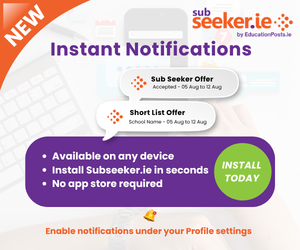

General - How to install SubSeeker.ie on your device
Install on iPhone & iPad Safari
- Open Subseeker.ie in Safari
- Tap the Share button
- Scroll down and tap Add to Home Screen
- The Subseeker.ie app will now appear on your Home Screen like any other app
Install on Android Chrome
- Open Subseeker.ie in Chrome
- Tap the Install App prompt if it appears
- If you don't see it, tap the (three dots) menu
- Select Install app or Add to Home screen
- The Subseeker.ie app will now be available from your Home Screen and App Drawer
Install on Windows (Chrome or Microsoft Edge)
Chrome
- Open Subseeker.ie
- Click the Install icon in the address bar (or open the menu)
- Select Install
Microsoft Edge
- Open Subseeker.ie
- Click the App available (Install) icon in the address bar
- Choose Apps → Install this site as an app. Click Install
Install on macOS
Chrome
- Open Subseeker.ie in Chrome
- Click the Install icon in the address bar
- Click Install
Microsoft Edge
- Open Subseeker.ie in Edge.
- Click the ... menu. Select Apps → Install this site as an app
- The Subseeker.ie app can be launched just like any other application
Related Entries: